
Only the alerts worth a buzz
Gate changes, boarding, delays and cancellations. Otherwise it stays quiet.
Whether the gate moved, how late it is running, which belt your bag comes out on — live. And the flight you just took does not disappear; it stays in your logbook. For passengers, and for crew who fly every day. On iOS and Android.
With an account, your limit resets every day.
See key details like your gate number right away, without opening the app.
Save a flight as yours and it goes into your logbook after landing.
What you need on the day you fly, and what stays behind once you land. You should not need two apps for that.
Without opening the app, waking the screen shows the countdown and the gate. It comes with Winglet Pro. How it is drawn on the Lock Screen differs by platform.
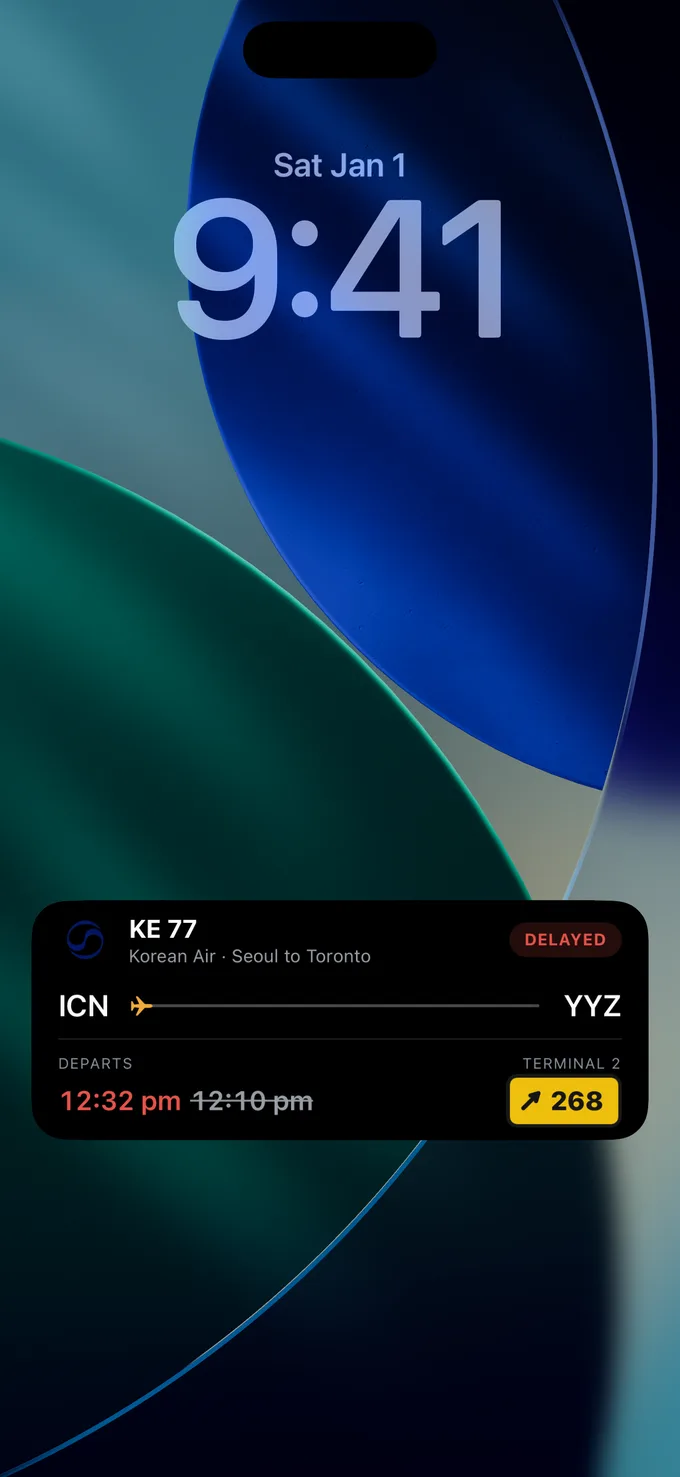
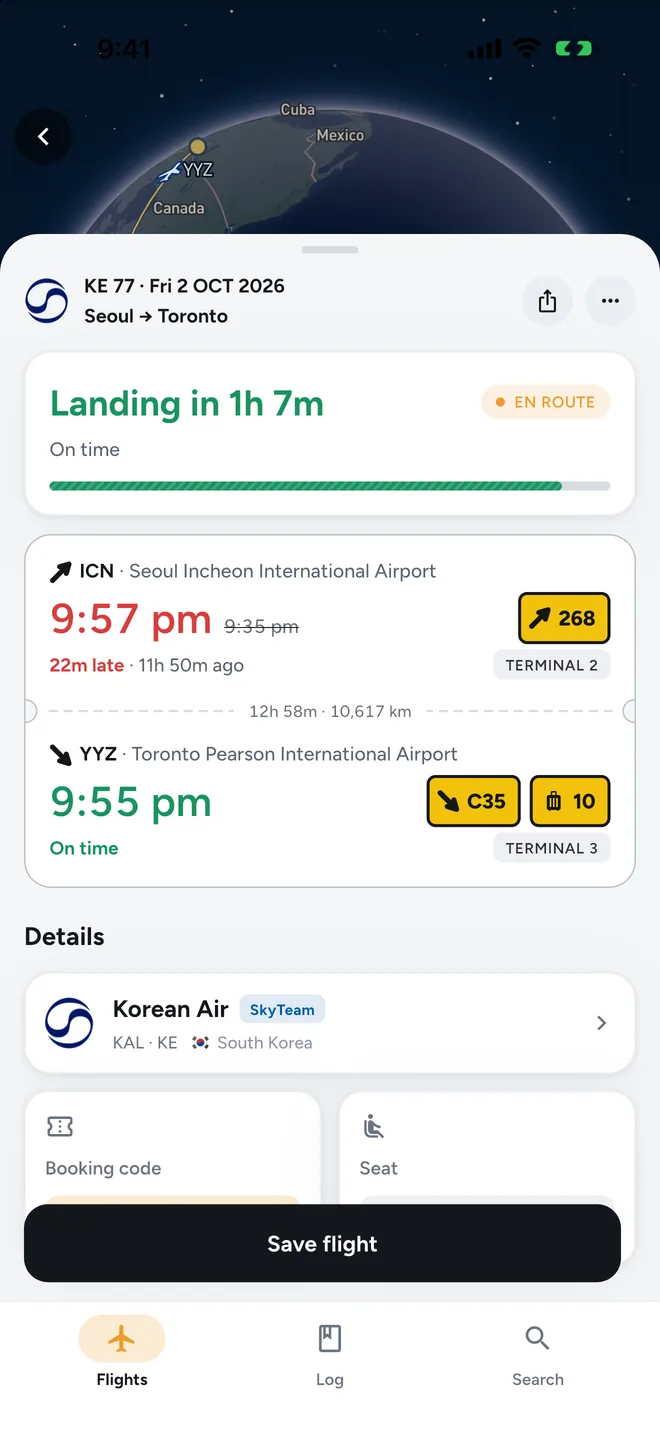
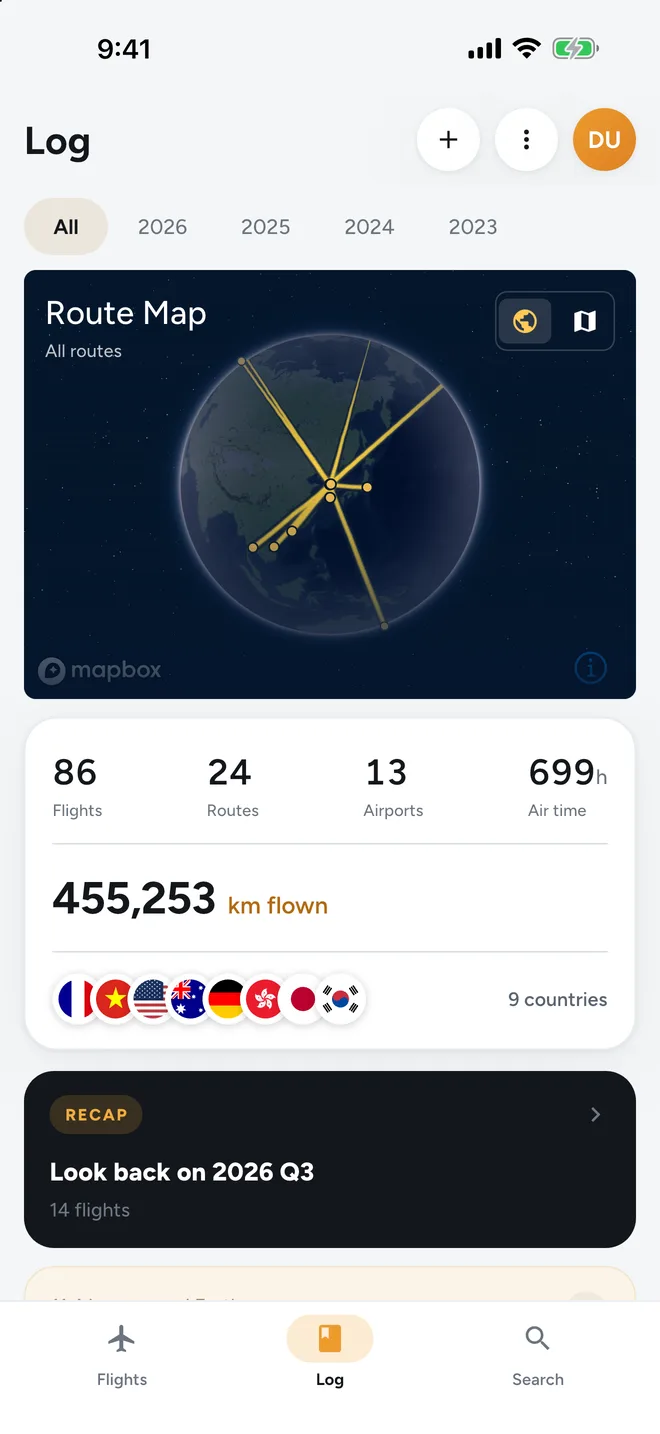
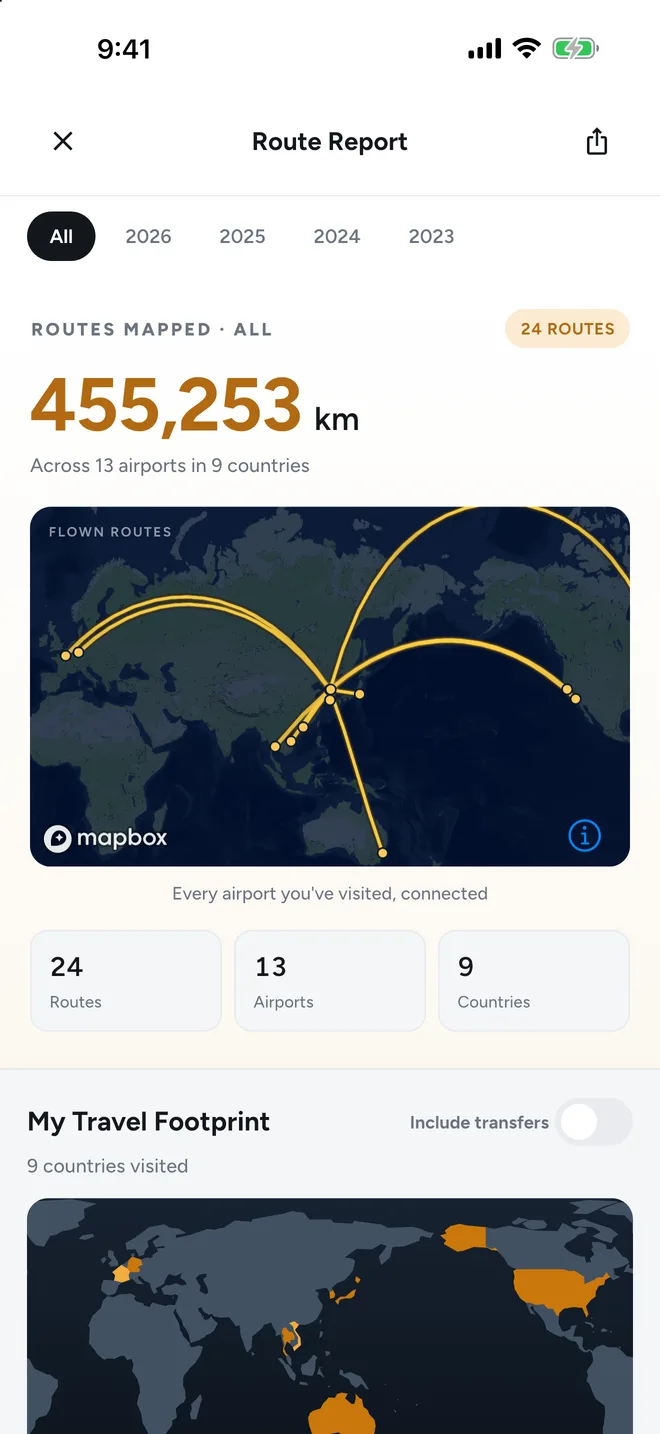
Gate changes, boarding, delays and cancellations. Otherwise it stays quiet.
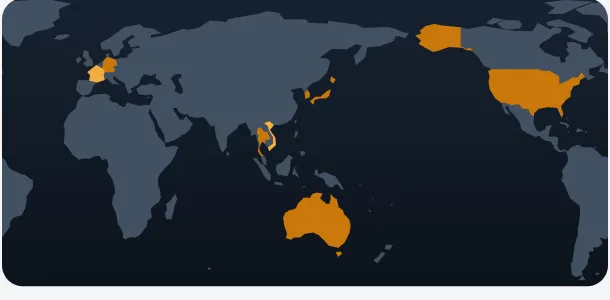
Countries you have visited fill in on the map, alongside your flight history.
Scan or upload a boarding pass, or search by flight number. Barcodes are read on device only.
Logging and browsing work with no connection at all.
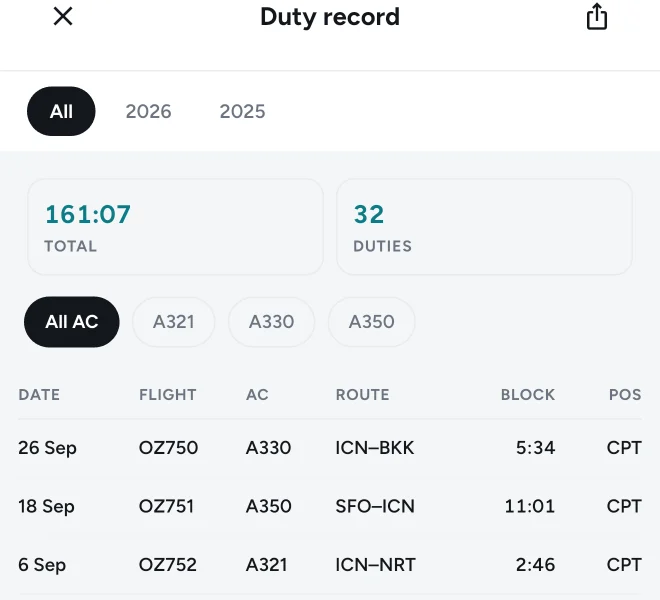
There is no reason to keep a passenger app and a crew logbook apart. Pick cabin or flight crew during onboarding and the crew fields open up.
Not in the first release. It arrives in an update once it is ready.
Roster import (.ics)
Import your schedule and your duties log themselves. No more copying rows by hand.
Block and night time, computed
Calculated from actual departure and arrival. Monthly totals and layovers accumulate alongside.
PDF logbook export
At less than half the price of the established logbook apps.
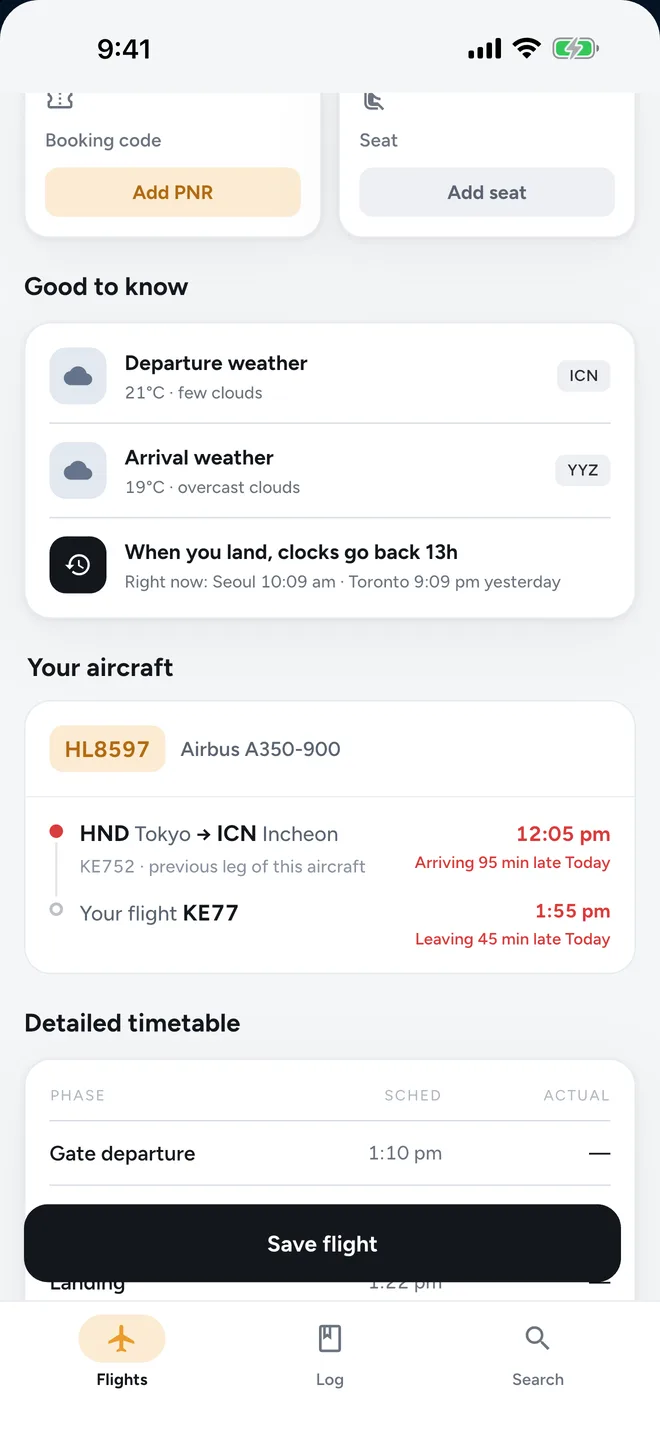
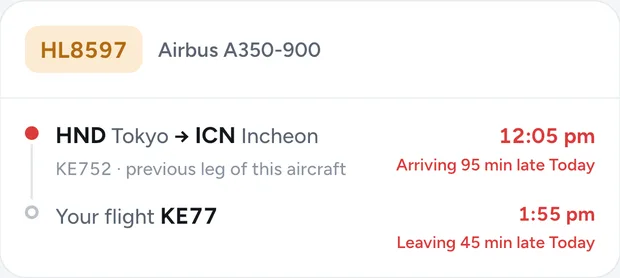
When a departure runs late, you can usually see it coming in when the aircraft itself is due to arrive. Winglet finds that inbound aircraft and shows you where it is flying and what time it lands.
You do not miss the gate change from the lounge, and you know which belt to head for on arrival. Then the flight logs itself.
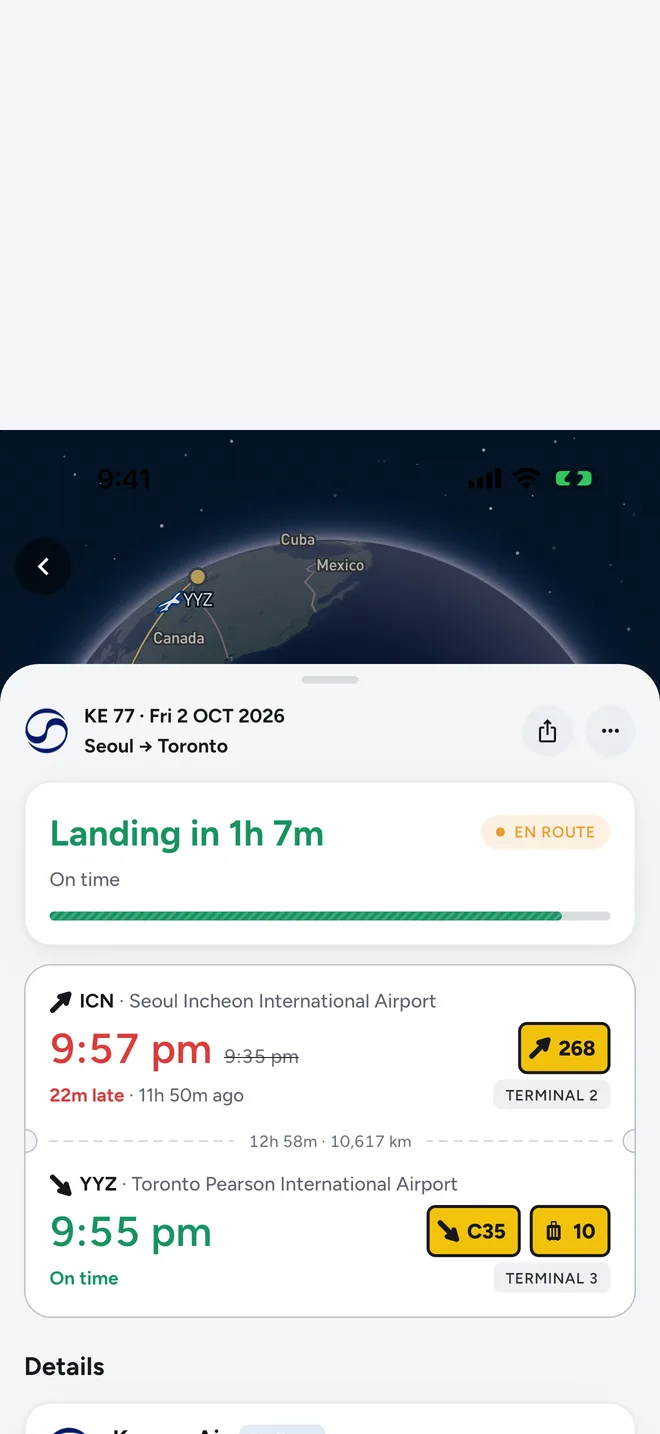
Track a flight you are not on. The arrival estimate tells you when to leave for the airport, and whether now is the moment.
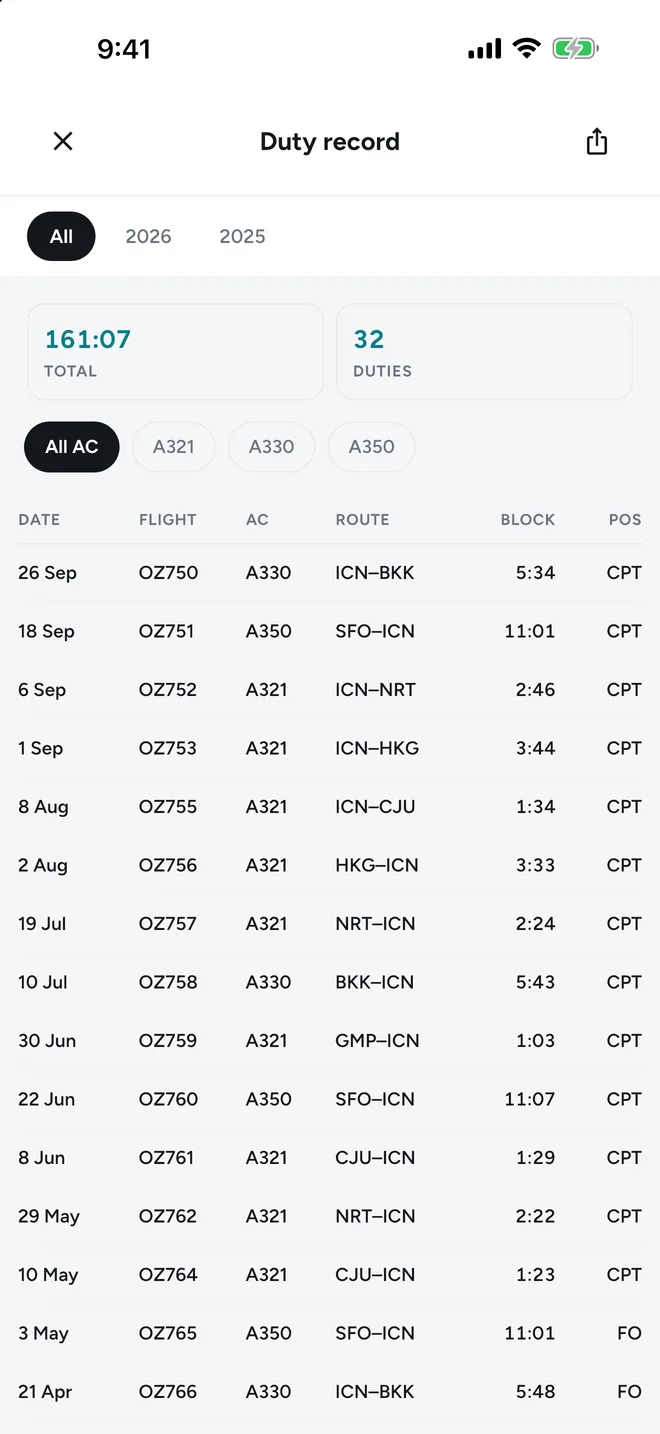
Import a roster and duties log themselves, with block and night time calculated. At year end it is one PDF.
Every airport you pass through becomes a record
Live tracking and every alert are free. Pro adds the live Lock Screen card, and room for people who fly more and log more.
Free
US$0
Just make an account
Get launch updatesPro
US$39.99
/yearAbout 33% less than a similar service, based on US-dollar annual prices.
US-dollar comparison: Winglet Pro at US$39.99/year and a similar service at US$59.99/year.
CrewComing soon
US$49.99
/yearLightPrices shown are for the US store; regional pricing is set at launch. Subscriptions renew automatically unless cancelled at least 24 hours before the period ends, and can be cancelled any time in Settings → Subscriptions.
Anything else, write to support@flywinglet.com. It is answered personally.
Yes. 15 searches a day, one flight tracked live, every alert, full timetable detail, your flight log and reports are all free. The live Lock Screen card comes with Pro. There are no ads. Paying is something to think about once you fly more often, or once your log passes 20 flights.
Both, at the same time. The features are the same; what differs is how live information is drawn on the Lock Screen. Live Activity and Dynamic Island are iOS features and do not exist on Android. There, an ongoing notification card takes their place, carrying the same information on the Lock Screen and in the status bar. Tracking, logging and reports are identical on both.
We combine an aviation data provider with public airport data. Values that move often, like gates, are marked when they are not yet confirmed, and the screen shows when the data was last refreshed. That said, all flight information is for reference — confirm anything schedule-critical with your airline.
On your device, and it opens in airplane mode. Boarding pass barcodes are read on device only. You can export to CSV at any time, and delete your account and data from inside the app.
Crew features are coming soon and are not in the first release. Once they arrive they are part of the Crew plan: everything in Pro plus roster import and the logbook, so there is no need for a separate passenger app and crew app.
Available for departures from airports in South Korea at no cost. We show the aircraft’s expected arrival time when its assignment and previous flight can be confirmed. Departures from outside South Korea are coming later.
We will tell you the moment it ships. Just the platform you are waiting for, and an email address.
You are on the list
We will tell you the moment it ships.